I’ve been self-hosting WeKan for a couple of years to keep track of client work. It’s open source and it does the job, but every upgrade seemed to move the buttons around, and the people I share boards with kept asking me where things had gone. Then one morning the latest image just wouldn’t start. MongoDB was fine, my data was fine, but WeKan sat in a restart loop.
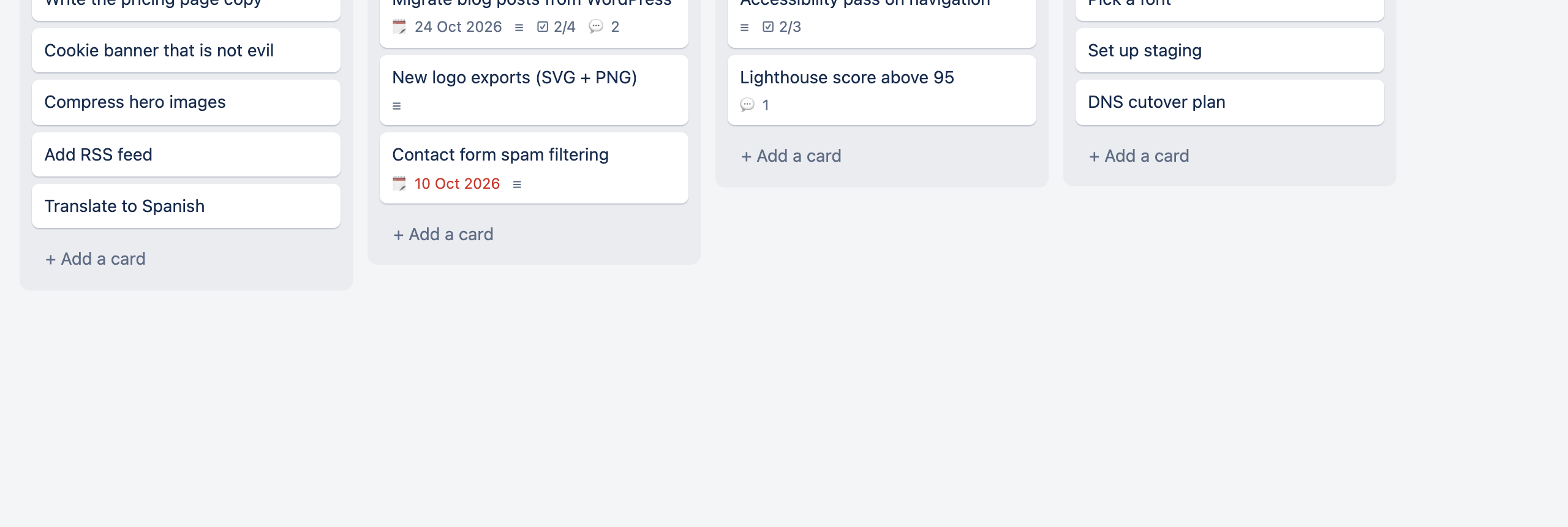
Looking at my boards, I was using maybe 5% of what WeKan offers: boards, lists, cards, a description, a few comments and the odd screenshot. So I built Simple Kanban. It’s a deliberately boring kanban board that does exactly that and nothing more, and it comes with a one-command migration from WeKan.
The Problem: Features You Don’t Use Still Cost You
WeKan is a big project with swimlanes, rules, custom fields, Gantt views, templates, webhooks and more. All those features come with a cost even if you never touch them:
- UI churn: each release reshuffles menus to make room for new features
- Heavy stack: a Meteor app plus MongoDB, which is a lot of moving parts for a to-do list
- Fragile upgrades: when it breaks, you’re debugging someone else’s migration scripts
- Opaque data: attachments live in GridFS, and users and passwords are buried in Meteor collections
I didn’t want another big project. I wanted something small enough that it can’t really break.
What It Does
Simple Kanban is a Next.js app that stores everything in one SQLite file plus a folder of uploads. It has:
- Boards, lists and cards, with drag and drop for both cards and lists
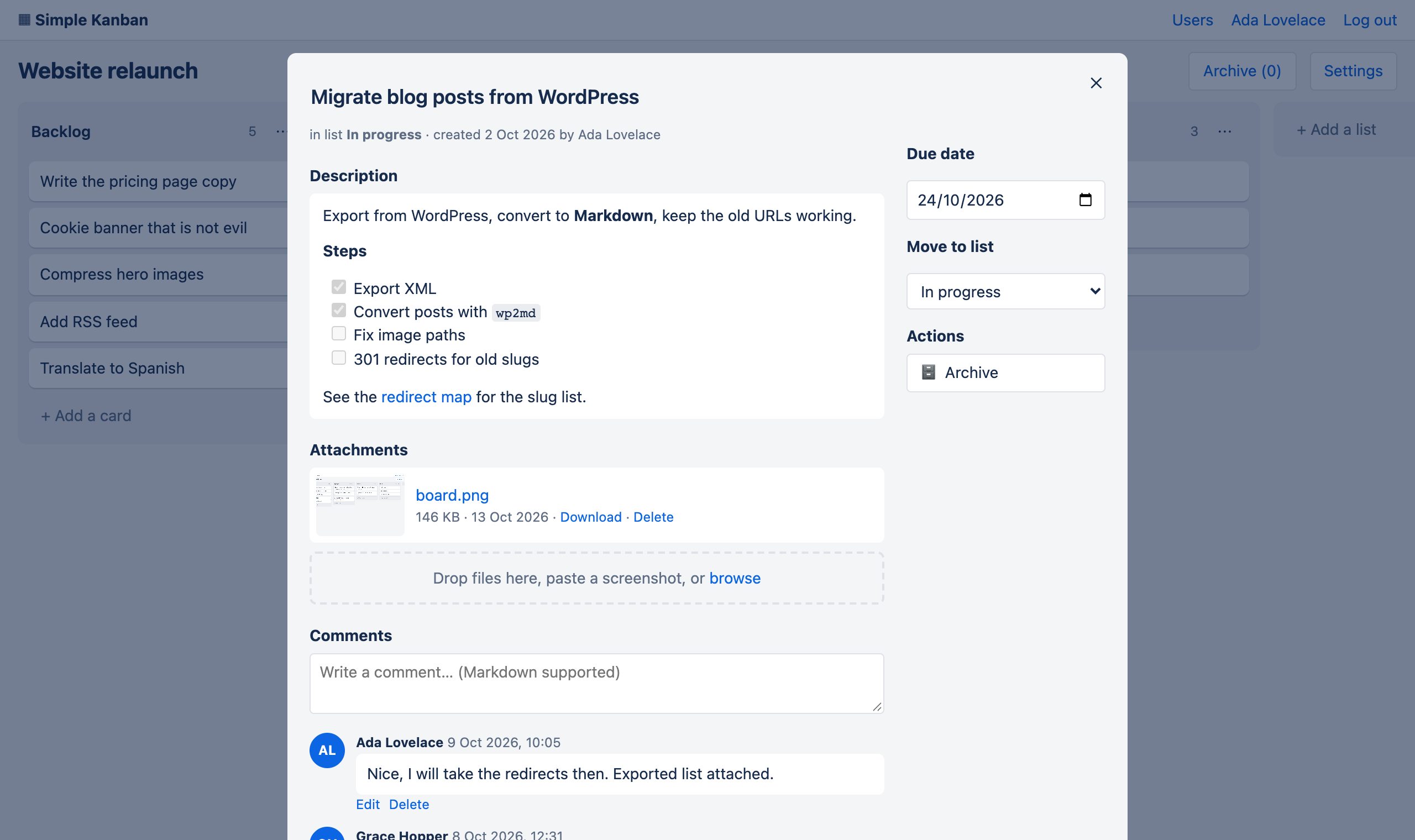
- Markdown descriptions, where
- [ ]task lists show up as a ☑ 2/4 badge on the card - Comments, with Markdown, edit and delete
- Attachments: drag files in, paste a screenshot, or browse
- Due dates and archiving that you can undo
- Users with per-board membership (admins see everything)
- Light and dark mode, following your system setting
That’s the whole list. There are no plugins, no swimlanes and no rules engine, and nothing that gets redesigned under you.
Try It Right Now
It’s a single container, published for amd64 and arm64:
docker run -d --name simple-kanban -p 3000:3000 -v $PWD/data:/data roura/simple-kanban
Open http://localhost:3000 and the first visit asks you to create the admin account. To back up, copy the data folder.
Migrating from WeKan
This is the part I actually care about. If you’re reading this because you’re sick of WeKan too, the importer moves your boards over with one command:
git clone https://github.com/rouralberto/simple-kanban.git && cd simple-kanban
./migrate-from-wekan.sh --mongo-container <your-wekan-mongo-container>
It reads WeKan’s MongoDB without changing anything, and you can run it as many times as you like. Here’s what comes across:
| WeKan | Simple Kanban |
|---|---|
| Users + passwords | Users, and the same passwords keep working |
| Boards, lists, cards | Same, in the same order, archived ones included |
| Checklists | Markdown task lists in the description |
| Comments | Comments, with original author and date |
| Attachments | Files on disk, byte-for-byte identical |
| Labels, start/end dates, assignees | One “Imported from WeKan” line on the card |
Use --dry-run first if you want to see the numbers before anything is written.
How It Works Under the Hood
A few details turned out to be more interesting than I expected.
1. Keeping WeKan Passwords
WeKan is built on Meteor, and Meteor doesn’t store bcrypt(password). It stores bcrypt(sha256(password)), because the browser hashes the password before sending it. So the importer copies the hash as-is and flags it as meteor. On login, Simple Kanban SHA-256s what you typed before comparing. Once that matches, it re-hashes the password as plain bcrypt and forgets the Meteor format ever existed.
export function verifyPassword(password, hash, algo = 'bcrypt') {
  const input = algo === 'meteor'
    ? crypto.createHash('sha256').update(password).digest('hex')
    : password;
  return bcrypt.compareSync(input, hash);
}
Nobody has to reset anything. They just log in the next morning with the same password.
2. Reaching a Mongo That Isn’t Exposed
Most WeKan installs run MongoDB in Docker without publishing port 27017, which is the right call. Rather than asking people to edit their compose file, the migration script starts a throwaway socat container on the same Docker network and forwards a random local port to Mongo:
docker run -d --rm --network "$NETWORK" -p "127.0.0.1:$PORT:27017" \
  alpine/socat TCP-LISTEN:27017,fork,reuseaddr "TCP:$MONGO_CONTAINER:27017"
When the import finishes, a trap removes it.
3. Attachments From Three Eras
Depending on when you installed it, WeKan stores files in one of three ways: GridFS (current), on disk (WRITABLE_PATH), or the old CollectionFS buckets from before v6. The importer handles all three and writes each file to uploads/<card>/<id>. On my data, all six attachments came out with the same SHA-256 as the GridFS originals.
4. Swimlanes, Flattened
Newer WeKan attaches lists to swimlanes. In practice most boards only use one, so the importer flattens them. If a board really does use several, its lists become “List · Swimlane” so nothing gets merged by accident.
Tested in a Real Browser
The repo includes an end-to-end smoke test that boots the production build against a throwaway database and drives it in your installed Chrome. It creates boards, drags cards between lists, uploads files, archives and restores cards, checks that one user can’t see another’s boards, and logs in with a WeKan-style password hash:
npm run build && npm run test:smoke
Limitations
This is deliberately small, so some things are missing on purpose:
- No swimlanes, labels, custom fields or automation rules
- No real-time updates: if two people edit the same card at once, the last save wins
- No email notifications
- Only one database file, so it’s built for small teams rather than for scaling out
If you need any of those, WeKan (or Planka, or Trello) is probably still the better fit.
Try It Out
The code is on GitHub at rouralberto/simple-kanban under the MIT license, and the image is roura/simple-kanban on Docker Hub.
I migrated my own boards (166 cards, comments, checklists and attachments) in under a minute, and logged in with the same password I’d used in WeKan. Sometimes boring is exactly what you need.